Minga Onboarding
Quick Start Guide to Communication & Events
A checklist for administrators, vice-principals, or activity directors to set up and roll out community, communication, and events with Minga.
A Thriving School Community Starts Here
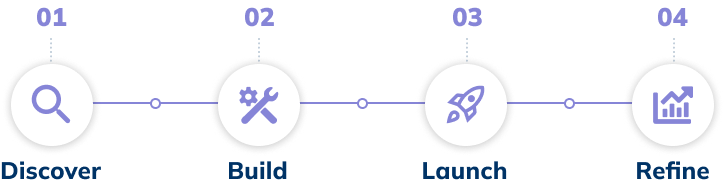
Follow these four stages to centralize your communication, foster student connection, and simplify event management.

π
Before You Start
Double-check the foundational steps are complete. Review the checklist here.
Stage 1
Discover
β
β
π‘
TIP:
Audit and rank your current communication channels. Drive traffic by retiring all βless-than-thrivingβ channels and moving them to Minga.
Stage 2
Build
β
Set up your community. Review Posting, Communication, and Moderation settings.
β
Create your athletic and academic groups and assign group leaders.
β
Stage 3
Launch
β
Set a date for launch. If you've connected your SIS with Minga, reviewed the settings in the app, and let staff and families know, then you're ready to launch!
β
Create daily posts. Ensure there is plenty to interact with on your home feed during the first few weeks of your launch.
β
Post your first athletic event. Support a team; create an event on the homefeed, attach points to drive attendance (Positive Behavior & Rewards solution required).
β
Schedule a large ticketed event. Create something for everyone to look forward to. Post Homecoming, dances, performances, and more in Minga.
π‘
TIP:
Reduce morning announcements by offloading some messages to a daily "Minga Minute" to drive students to the app.

Stage 4
Refine
β
Promote Student Leaders. Change a few trusted students' roles to Student Leaders in Minga, keep your feed up to date with all school activities and events.
π‘
TIP:
Share one result with the whole school (e.g., athletics attendance increase) and explore other avenues of community building.
Get more out of Communication & Events!
Quick links and additional resources to help you on your journey with Minga