Minga Onboarding

Quick Start Guide to Tardy Management

A checklist for attendance clerks, APs, or other school administrators to set up and roll out tardy workflows, consequences, and communication in Minga.
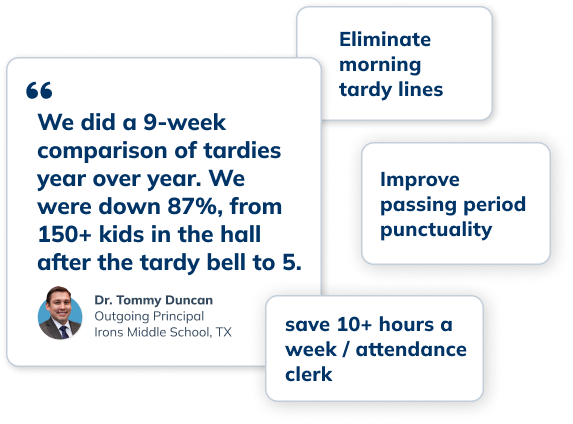
quotes hero img Tardy

On Time Starts Here

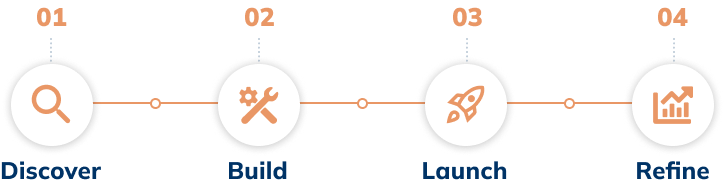
Follow these four stages to take your tardy process digital, automate consequences and parent communication, and build on-time accountability.
Scheme Discover-Build-Launch-Comm
  
Before You Start
Double-check that the technical integration steps are complete. Review the checklist here.
Stage 1

Discover

Determine how you will record tardies. We recommend a centralized kiosk station for a clear, consistent (and teacher-friendly) check-in process.
Set up devices as Check In Kiosks. In the front office, hallways, or classrooms, a Kiosk makes tardy management easier.
Document your policy. Capture your tardy rules, how consequences should escalate, and when parents should be notified.
Review preset consequences. Ensure you have all the consequences necessary for your Tardy Policy. 
  
💡
TIP:
We recommend a closed-door policy with tardy check-in stations for the most clear, consistent, and teacher-popular workflow. 
Stage 2

Build

Refine the Tardy Automation. Customize notifications, consequences, and follow-ups to ensure they align with your policy. 
Choose Your Detention Management Method. Minga offers open or scheduled detentions; select the option that best fits your school and students.
 
 
Prepare staff and students. Share how tardies will be recorded and what changes for teachers. 
 
 
Schedule reports for your SIS. Set up scheduled SFTP or email tardy reports from Minga to bulk import to your SIS.


💡
TIP:
Every SIS ingests external data differently. Contact our support team for help if needed.
Stage 3

Launch

Host a meeting with teachers and introduce them to My Class, this is their home base in Minga. Here is a resource you can share!
Turn on parent notifications. Communicate to parents the change in advance, so they aren’t surprised by the new email or text notifications.
Set a date for launch. If you've connected your SIS with Minga, reviewed the settings in the app, and let staff and families know, then you're ready to launch!
  
💡
TIP:
Roll out in phases. Track tardies before turning on consequences so students learn the process without harsh consequences.
image3
Stage 4

Refine

Monitor attendance patterns. Set up scheduled reports for attendance staff to track trends.  
Close the loop on consequences. Ensure assigned consequences (e.g., detentions) are being completed. 
  
💡
TIP:
Adjust your rules. Refine thresholds, timing, or communication based on what you’re seeing.

Get More Out of Tardy Management

Quick links and additional resources to help you on your journey with Minga
support icon-communication
Live Training with Step by Step Support
document icon-communication
Implementation Guides and Articles
document icon-communication
Skyrocketing Punctuality at Montgomery High

More Quick Start Guides

Hallway-card
Tardy-inactive
Pos Beh-card
Neg Beh-card
Intervention-card
Communication card