Welcome To Minga

Minga Onboarding Guide

A clear path from setup to launch for school administrators.
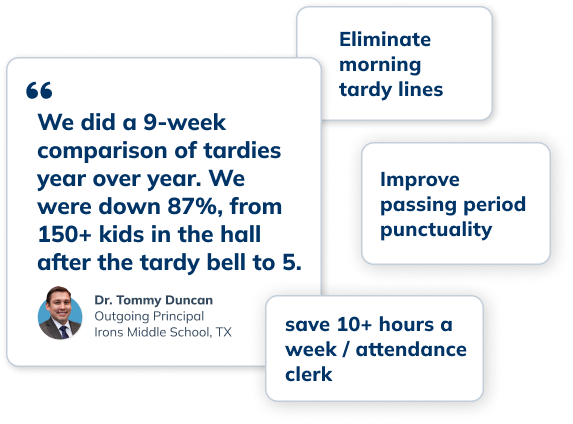
quotes hero img Tardy
Step 1

Set the Foundation

Get Minga connected and aligned to your school before you configure anything else.
Connect your SIS with Minga. Connect your student and staff rosters, upload photos, and verify parent contact information.
 

Watch this short video on implementation best practices and how to get buy-in from staff and students.


Configure your Bell Schedule. (+ Only) Set up your terms and period schedules so that students and staff see accurate, real-time info. [KB Guide]

Complete the onboarding survey to share your timelines and team members, so we can support you.
 
Step 2

Gather Your Team

You can do it! But don’t do it alone! Gather your team, and we’ll gather ours to support you!
build

Implementation Team

Leadership, Specialists, District IT, Admin Staff


This team is responsible for the strategic and logistical management of Minga’s rollout.

MINGA logo-2

Minga Mavericks

Star Teachers, Student Leaders, Support Staff


Testers and contributors, driving peer-to-peer grassroots engagement and early adoption.


Add your team to Minga. Invite your Minga Mavericks and Implementation Team first.

Schedule and Host a training session for your teams. Distribute "Cheat Sheet" packs and host your training session. 
 

Share the Minga for Teachers page with your teachers and get them familiar with My Class, as this will be their home base in Minga.
 
  
💡
TIP:
Use the in-app assistant during training so staff can find answers on their own.
Step 3

Roll Out Solutions

We recommend a crawl, walk, run approach. Most schools begin with 1–2 solutions, then expand after launch.

Hallway Icon bg
Hallway Management
Positive Behavior Icon bg
Positive Behavior & Rewards
Community Icon bg
Community & Event Management
Negative behavior Icon bg
Negative Behavior & Consequences
Tardy Icon bg-1
Tardy Management
Intervention Icon bg
Intervention & Enrichment
Step 4

Spread the Word

Share the news with your school community, and join the Minga community too!

Add a page on your school's website with information on Minga to keep your school community informed. Copy and paste our template to ensure you include all key info.
 

Share the webpage you create with parents and guardians in advance of Minga's rollout at your school to ensure smooth change management.   
 

Join the Minga Masters Facebook group to connect with other school leaders, ask questions, and share ideas. 
 

Resources

document icon-blue
Implementation Guide
video icon-blue
Quick How-To Video Tutorials
support icon-blue
Daily Q&A Drop In Sessions